Image Embeddings
/AI/3 min read
Comparing images by their pixels fails badly — the same object moved twelve pixels can look less like itself than a different object does. An embedding is a representation trained so that stops happening.
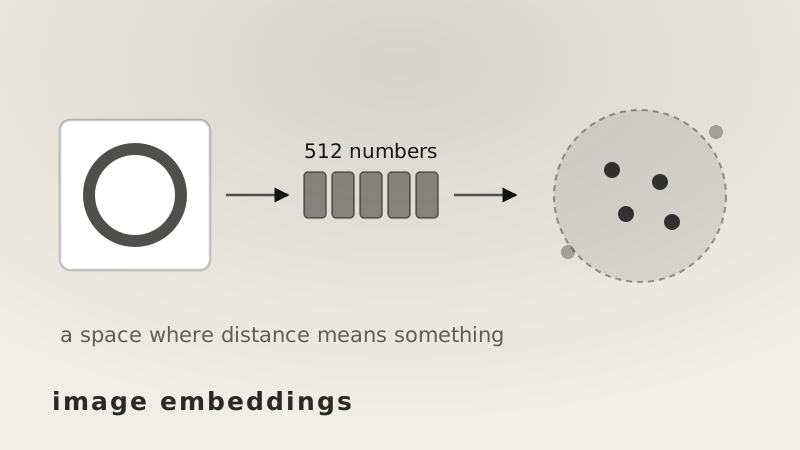
An image embedding is a short list of numbers standing in for a picture, arranged so that pictures of similar things end up close together.
Why that needs to be learned is easier to see by first trying the naive alternative.
Comparing pixels
An image is already a list of numbers. A 224 × 224 colour photo is 150,528 of them, three per pixel. So compare two images by comparing those lists directly.
Take a simple picture: a bright ring on a dark background. Compare it against three variations, using cosine similarity on the raw pixels:
| similarity to the original | |
|---|---|
| the same ring, 18% brighter | 1.000 |
| the same ring, moved 4 pixels | 0.665 |
| the same ring, moved 12 pixels | 0.355 |
| a completely different shape | 0.385 |
The last two lines are the problem. Moving the identical object a small distance across the frame makes it less similar to itself than an unrelated shape is.
The reason is mechanical. Pixel comparison lines up position 1 with position 1, position 2 with position 2, and so on. Slide the content and every position now holds something else, so the comparison sees two unrelated lists — even though a person would say nothing changed at all.
Meanwhile the brightness change scores a perfect 1.000, because cosine ignores overall scale. Raw pixels are simultaneously oversensitive to things that do not matter and blind to things that might.
What the network is actually for
An image encoder — a convolutional network or a vision transformer — maps those 150,528 numbers down to something like 512. That is 294× smaller, but compression is not the goal. The goal is which 512 numbers.
The layers build up in stages. Early ones respond to edges and local contrast. Middle ones combine those into parts — a corner, a repeated texture, a curve of a particular kind. Later ones respond to arrangements of parts, which is where "this is a ring" can exist as a concept at all.
Crucially, a feature that responds to a ring responds to it wherever it appears. That is the property pixel comparison lacks, and it is why the last layer's output can be compared meaningfully while the input cannot.
The training decides everything
An encoder does not become useful by having the right architecture. It becomes useful because of what it was trained to pull together and push apart.
Train it to classify objects and the embedding organises by object category — two photos of the same kind of thing land close, regardless of colour or setting. Train it to match images with their captions and the space organises by describable content, which is what lets a text query find a picture. Train it to recognise the same photo under crops, rotations and colour shifts and it becomes explicitly invariant to exactly those.
Each of those is a different notion of "similar", and all of them are equally valid. The one you get is the one the training objective asked for — which is why an embedding that works beautifully for product search may be useless for detecting near-duplicates, and vice versa.
Using them
Once images are vectors, cosine similarity gives a single number between −1 and 1 for any pair. Everything downstream is that one operation:
- Search — embed the query, return the nearest stored vectors.
- Duplicate detection — flag pairs above a threshold, which catches re-encoded and lightly edited copies that a file hash misses entirely.
- Recommendation — items near what someone already chose.
- Grouping — cluster the vectors and let the groups define themselves.
None of these needs labels. The structure is already in the geometry.
What to take away
The list of numbers is not the interesting part; the picture was always a list of numbers.
What an embedding provides is a list where distance means something — where moving an object across the frame does not change the answer, and where changing the object does. Pixels get both of those backwards, and correcting that is the entire job.